
Ni Dus Ki Kasoor VN Template Code 2026 – Trending Love Video Edit
This VN template is a great choice for making romantic reels with your favorite photos, smooth transitions, and music synced effects. In this guide, you’ll learn how to find the Ni Dus Ki Kasoor VN template, use a VN code if available, and create your own stylish love status video with the VN Video Editor. In our site Vn template code here You get best.
In this guide, you will learn how to find the Ni Dus Ki Kasoor VN template, create a romantic video, improve your editing quality, and solve common problems.
What Is Ni Dus Ki Kasoor VN Template Code 2026?
The Ni Dus Ki Kasoor VN template is a romantic video editing style associated with the song or audio phrase “Ni Dus Ki Kasoor.” It can combine personal photos, music, visual effects, and smooth transitions to create a love-themed video.
VN Video Editor offers tools for trimming clips, adding music, applying transitions, and adjusting video speed. A compatible template or shared project can make editing easier by providing a starting layout.
You can use this editing style for:
Ni Dus Ki Kasoor VN Template Code Download
Are You looking for a working project link or QR code shared by the original creator.
Follow these steps to find a compatible version:
If the original template is unavailable, you can still create a similar romantic video manually.
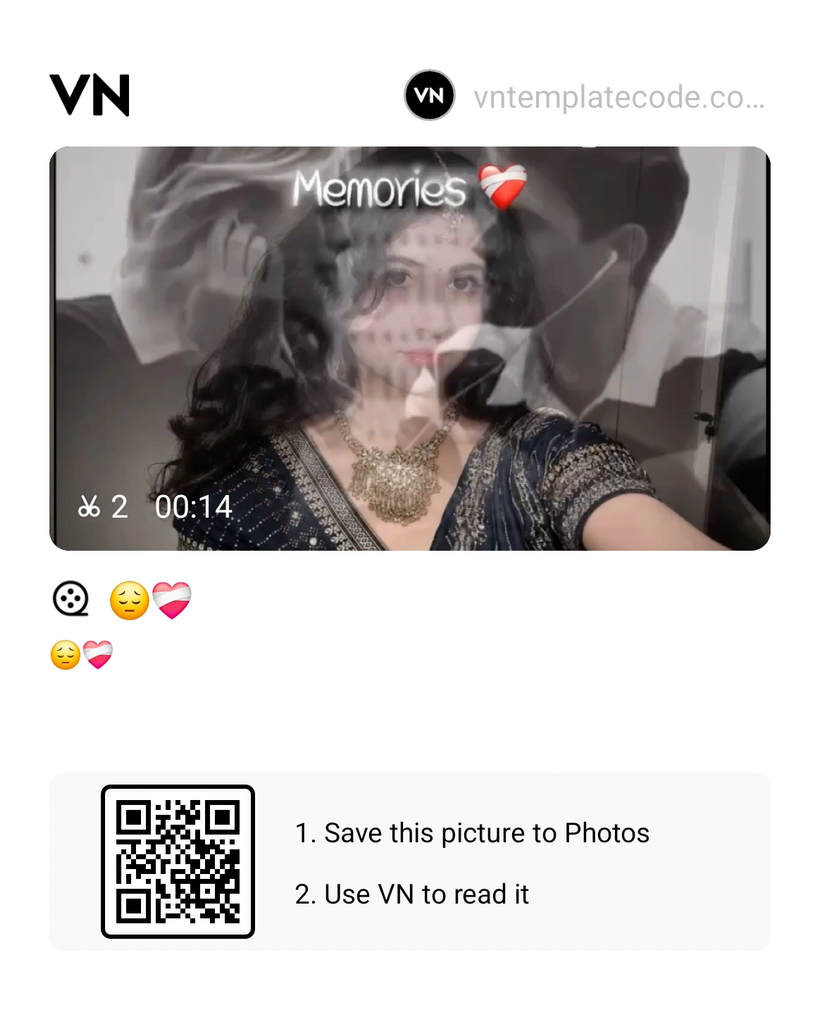
You just scan this upper image and get your chat pata template.
Why Try the Ni Dus Ki Kasoor Love Video Edit?
Romantic music edits are a popular format for sharing personal memories and expressing emotions through short videos. You can customize this style with different photos, colors, and transitions.
1. Romantic Couple Editing
Use your favorite couple pictures and arrange them to match the mood of the song.
2. Aesthetic Photo Transitions
Add gentle zoom effects, fades, and smooth cuts to make your photos more engaging.
3. Emotional Love Status
Create a short video using meaningful pictures and a suitable section of the song.
4. Punjabi Song Reel Editing
Combine music, photo timing, and subtle effects to create a personalized Punjabi song edit.
5. Slow-Motion Video Effects
Use slow-motion effects on suitable video clips to create a soft, cinematic feeling.
These are creative editing ideas, not a guarantee that a specific template or audio is currently trending.
How to Make Ni Dus Ki Kasoor VN Template Video
Follow these steps to create your own love video using VN Video Editor.
Step 1: Open VN Video Editor
Install VN Video Editor from your device’s official app store if you have not already installed it. Open the app and start a new project.
Step 2: Select Your Photos
Choose 5–10 clear pictures for your video. You can use selfies, couple photos, or your favorite memories.
Step 3: Add the Song
Import an audio file you are authorized to use, or choose an available version through the platform where you plan to publish the video.
Trim the audio to the section that best matches your photos.
Step 4: Adjust Photo Timing
Arrange your pictures in the correct order. Adjust each clip’s duration to match the rhythm and emotional moments of the music.
Step 5: Add Smooth Transitions
Use simple transitions such as fade, dissolve, or zoom. Keep the effects consistent so the video looks clean and professional.
Step 6: Apply Filters and Effects
Try soft color grading, subtle brightness adjustments, and gentle cinematic effects. Avoid excessive filters that make faces look unnatural.
Step 7: Add Text
You can add a short romantic line, such as “Some feelings need no words.” Use a simple font and avoid covering faces with text.
Step 8: Export Your Video
Preview the complete video and check the audio timing, transitions, and image quality. Export in vertical 9:16 format and select 1080p if available.
Your Ni Dus Ki Kasoor-inspired love video is ready to share.
Best Editing Tips for a Romantic VN Video
Want your video to look better? Follow these simple tips.
Common Problems With Ni Dus Ki Kasoor VN Template
1. VN Template Code Is Not Working
The code may be outdated, unavailable, or incompatible with your version of the app.
Solution: Check the original creator’s instructions and look for an updated project link or QR code.
2. VN Template Link Is Not Opening
The link may have expired, or the project may no longer be available.
Solution: Check your internet connection and try the creator’s latest link if one is available.
3. Photos Are Not Fitting Properly
Different templates may require specific photo sizes or orientations.
Solution: Use the crop and positioning controls to adjust each image and keep faces inside the frame.
4. Music Is Out of Sync
The photos may change too early or too late compared with the song.
Solution: Trim the audio and adjust the duration of individual clips until the timing looks natural.
5. Video Quality Is Blurry
Low-resolution photos or unsuitable export settings can affect the final result.
Solution: Use high-quality source images and export at an appropriate resolution.
6. The Song Is Not Available
Audio availability can vary by platform, account, region, and licensing restrictions.
Solution: Use an authorized audio source or select an available version from the platform’s music library.
Best Captions for Ni Dus Ki Kasoor Love Video
Use one of these captions with your romantic edit:
Frequently Asked Questions (FAQs)
Conclusion
The Ni Dus Ki Kasoor VN Template Code 2026 is a useful search for anyone who wants to create a romantic song video with personal photos and smooth transitions. You can use a verified template if one is available or create your own edit in VN Video Editor.
One Comment