Best Teri Nazron Ka Dil Pe Hua Hai Asar VN Template – Latest Trending VN Code 2026

Are you looking for the Teri Nazron Ka Dil Pe Hua Hai Asar VN Template to create a romantic and stylish video? This trending song is a great choice for making love edits, couple videos, aesthetic reels, and photo status videos. With the VN Video Editor, you can turn your favorite pictures and clips into a beautiful video with smooth transitions and music. Also see more vn templates from our vn template code
The Teri Nazron Ka Dil Pe Hua Hai Asar VN template is perfect for Instagram Reels, YouTube Shorts, WhatsApp Status, and Facebook Reels. You can use your own photos, follow the editing style, and customize the final video to match your taste.
In this post, you will learn about the template, its features, how to use a VN code, and tips for creating an attractive romantic video in 2026.

What Is the Teri Nazron Ka Dil Pe Hua Hai Asar VN Template?
The Teri Nazron Ka Dil Pe Hua Hai Asar VN Template is a romantic video-editing style inspired by the song’s emotional lyrics and melody. It can be used to create photo slideshows, couple edits, love-status videos, and aesthetic short videos.
VN Video Editor offers editing tools such as transitions, effects, filters, text, and music synchronization. Depending on the template, you may be able to apply a ready-made editing structure instead of creating every effect manually.
Why Is This Romantic VN Template Popular?
Romantic song edits are a popular format for short-form video content. This editing style works well for people who want to share special moments with their partners or create beautiful photo videos.
Some reasons to try this template:
Best Features of the Teri Nazron Ka Dil Pe Hua Hai Asar VN Template
1. Smooth Photo Transitions
Use clean transitions to move between your pictures without making the video look too busy.
2. Romantic Music Style
Match your photos and video clips to the song’s rhythm for a more emotional result.
3. Aesthetic Filters
Experiment with warm colors, soft tones, and subtle effects to create a romantic atmosphere.
4. Custom Photo Editing
Replace sample images with your own photos to make the video more personal.
5. Short Video Format
Create vertical videos suitable for Reels, Shorts, and WhatsApp Status.
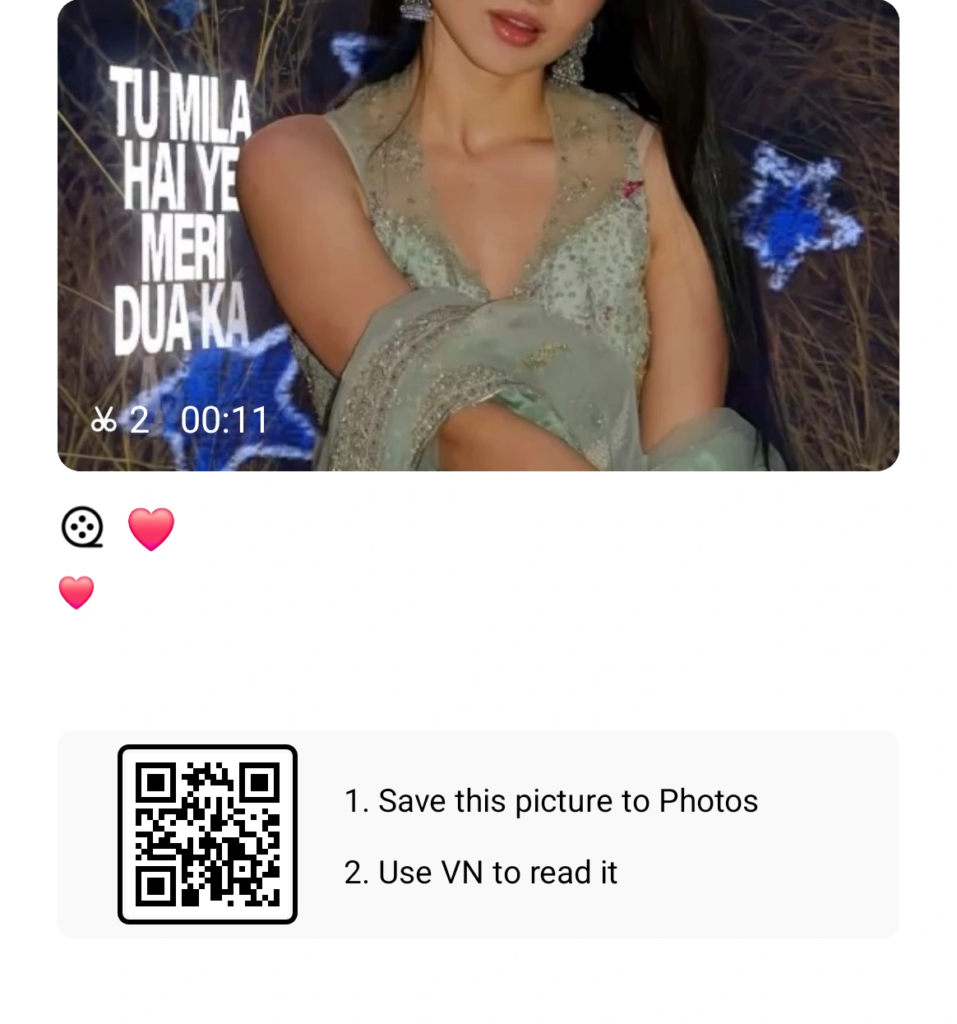
How to Use the Teri Nazron Ka Dil Pe Hua Hai Asar VN Template
Follow these steps to create your romantic video.
Tips for Making a Beautiful Romantic VN Video
Best Photo Ideas for This VN Template
Not sure which pictures to use? Try these ideas:
Couple Photos: Use your favorite couple pictures to create a romantic video.
Solo Portraits: Add stylish portraits with soft lighting and aesthetic backgrounds.
Memory Collection: Combine pictures from birthdays, outings, celebrations, or special occasions.
Love Status Video: Use a few meaningful pictures with a short romantic caption.
Aesthetic Photo Edit: Experiment with warm tones, slow transitions, and simple visual effects.
Common Problems and Solutions
VN Template Link Is Not Working
The template may have been removed, the link may have expired, or the project may no longer be available. Try finding an updated link from the original creator.
VN Code Is Not Recognized
Check whether the QR code is clear and whether it belongs to a compatible VN template or project. Avoid downloading files from suspicious websites.
Photos Are Not Fitting Properly
Crop or reposition your pictures to fit the video frame. For vertical videos, a 9:16 aspect ratio is usually suitable.
Music Is Not Playing
Check the audio track, your device volume, and the project’s music settings. If the template does not include audio, you may need to add a suitable track separately.
Frequently Asked Questions (FAQs)
Conclusion
The Teri Nazron Ka Dil Pe Hua Hai Asar VN Template 2026 is a great editing idea for creating romantic photo videos, love edits, and aesthetic social media reels. Choose your favorite pictures, use a compatible VN template, and customize the effects to create a video that reflects your personal style.